 M99M
M99M 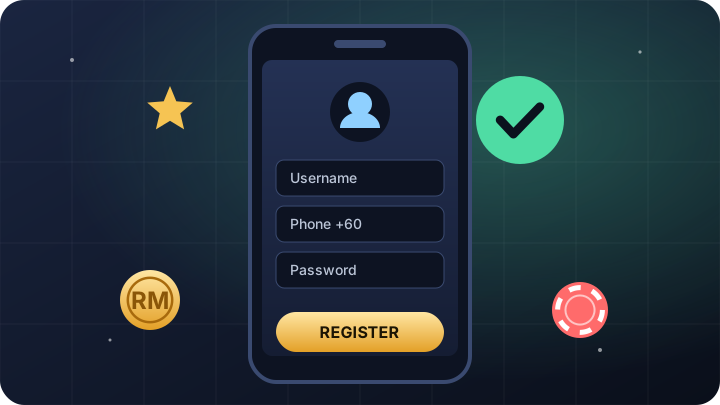
Before you register
Have these ready and the whole process takes about two minutes:
- You are 18 or older and online gaming is permitted where you live.
- A Malaysian mobile number (+60) that you own and can receive SMS on – it is used for one-time passwords (OTP) when you reset your password.
- A bank account or e-wallet in your own name for deposits and withdrawals.
- A referral code if a friend invited you (optional).
Step-by-step registration
Open the official registration page
Go to the M99M registration page on m99m.com. Check the address bar – it should read m99m.com.
Choose a username
Pick something memorable that is not your real name or phone number. You will use it every time you log in.
Enter your mobile number
The +60 country code is pre-filled. Type the rest of your number without the leading zero if prompted.
Create and confirm a password
Type the same strong password in both fields. If they do not match, the form will show a mismatch warning.
Tell M99M how you found it
Choose an option from the “How do you find us?” list and add a referral code if you have one.
Submit and log in
Submit the form, then log in to your new M99M account with your username and password.
Registration form fields explained
| Field | What to enter | Tip |
|---|---|---|
| Username | The name you will log in with | Avoid your real name, IC number or phone number. |
| Phone number | Your Malaysian mobile number (+60) | It must be yours – password resets are sent to it by OTP. |
| Password | A new password for M99M | Use a long, unique password you do not use anywhere else. |
| Confirm password | The same password again | A mismatch warning means the two entries differ. |
| How do you find us? | Choose from the list | Any honest answer is fine. |
| Referral code | A friend’s code (optional) | Find it on your friend’s Invitation page. |
What to do after you register
-
Complete your profile
Check your details under Profile so that future withdrawals are processed smoothly.
-
Make your first deposit
Use online banking, DuitNow QR or an e-wallet in your own name. Most deposits are credited within minutes.
-
Look at current rewards
Read the terms of any new-member offer before claiming it.
-
Set your limits
Decide a monthly budget before your first game and stick to it.
How to create a strong password
- Use at least 12 characters – a short phrase of unrelated words works well.
- Mix upper-case and lower-case letters, numbers and a symbol.
- Never reuse a password from your email, banking or social media.
- Store it in a password manager instead of a screenshot or chat message.
- Change it immediately if you ever suspect someone else knows it.
Common registration problems and fixes
| Problem | What to do |
|---|---|
| “Username already taken” | Add numbers or change a few letters and try again. |
| Password mismatch warning | Retype both password fields carefully; check that Caps Lock is off. |
| Phone number already registered | You may already have an account. Use “Forgot password” on the login page or contact live chat. |
| OTP not received | Check your signal, wait at least a minute before requesting another code, then contact live chat if it still does not arrive. |
| Page not loading | Confirm you are on m99m.com, refresh, or clear your browser cache and try again. |
Only register on the official site
Fake gaming sites copy real brands to steal logins and deposits. Protect yourself by registering only on the official M99M website, m99m.com. This guide site never asks for your password, OTP or banking details – every button here takes you straight to the official M99M pages.
Already registered? Our M99M login guide explains how to sign in on any device and reset a forgotten password.
Registering on your phone
Most players sign up on a phone, and the M99M registration form is designed for small screens. Open it in Chrome on Android or Safari on iPhone rather than inside a chat app’s built-in browser, which can block pop-ups and forget what you typed. Turn your phone to portrait mode, fill in each field in order and keep your SMS app handy in case you need an OTP later.
Once your account is ready, add the site to your home screen. The next time you want to play, one tap takes you straight to the genuine M99M login page – no searching, and no risk of landing on a look-alike site.
Frequently asked questions
Is it free to register at M99M?
Yes. Creating an M99M account costs nothing. You only need to deposit when you decide to play with real money.
Can I register without a phone number?
No. A Malaysian mobile number is required on the registration form, and it is used to send OTP codes if you ever need to reset your password.
Can I open more than one M99M account?
No. Each person may hold one account. Duplicate accounts can be closed and any related bonuses cancelled.
Do I need a referral code to join?
No, the referral code is optional. If a friend invited you, entering their code links your account to their invitation.
How long does registration take?
Usually around two minutes if you have your mobile number and a password ready.
Ready to play at M99M?
Create a free account on the official M99M site or log in to continue. For players aged 18 and over only.