 M99M
M99M 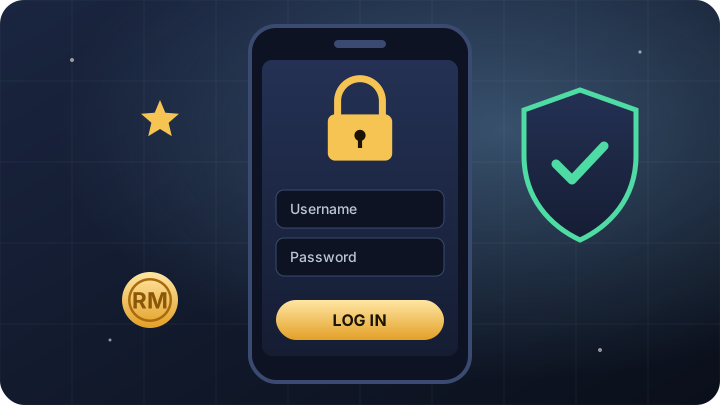
How to log in to M99M
Open the official login page
Tap M99M login or type m99m.com into your browser yourself. Avoid login links sent in private messages.
Enter your username
Use the username you chose when you registered – not your phone number, unless you registered with it.
Enter your password
Passwords are case-sensitive, so check Caps Lock and your keyboard language.
Tap Log In
You will land in the lobby, with your wallet balance shown at the top of the screen.
Tip: after your first successful login, bookmark the page or add it to your phone’s home screen. It is the simplest protection against look-alike phishing sites.
What you can do after logging in
Your account menu brings every part of M99M into one place:
-
Deposit and withdraw
Fund your wallet with local payment methods and request withdrawals to your own bank account.
-
Transfer
Move credit between your main wallet and app-based games such as Mega888 or 918Kiss.
-
Rebate and turnover
Check your current rebate rate and how much turnover you have completed on any bonus.
-
Reward shop and VIP
Spend reward points and see your VIP level and the perks that come with it.
-
History
Review every deposit, withdrawal, transfer and bet – useful for tracking your spending.
-
Invitation
Get your referral code to invite friends to M99M.
Forgot your password?
Password resets at M99M use a one-time password (OTP) sent to the mobile number on your account.
Tap “Forgot password”
You will find it on the login screen.
Enter your registered mobile number
It must be the number you used when you signed up.
Enter the OTP
Type the code from the SMS. Codes expire after a short time, so use it straight away.
Set a new password
Choose a strong password you have not used before, then log in again.
If you no longer have access to the registered number, contact M99M customer service through live chat to verify your identity.
Login troubleshooting
| Problem | Likely cause | Fix |
|---|---|---|
| “Invalid username or password” | Typo, Caps Lock, or the wrong username | Retype slowly; if it still fails, reset your password. |
| OTP not arriving | Weak signal or SMS delay | Wait a minute, check your signal, then request a new code once. |
| Page will not load | Browser cache or connection issue | Refresh, clear your cache, or switch between Wi-Fi and mobile data. |
| Logged out repeatedly | Private browsing or cookies blocked | Allow cookies for m99m.com and avoid closing the tab mid-session. |
| Account locked | Too many failed attempts or a security check | Contact live chat with your username to unlock it. |
Keep your M99M account secure
- Only log in at m99m.com – check the address bar every time.
- Never share your password or OTP, not even with someone claiming to be customer service.
- Ignore login links sent by strangers on WhatsApp, Telegram or Facebook.
- Log out when you use a shared or public device.
- Change your password straight away if you notice activity you do not recognise.
- Use the official contact channels only, such as M99M live chat and the official Telegram bot.
Logging in on mobile
M99M runs in Chrome, Safari and other modern mobile browsers, so there is nothing to install for the main site. Use “Add to Home Screen” to create a one-tap shortcut. App-based slot platforms such as Mega888, 918Kiss and Pussy888 use their own separate game ID and password, which you will find inside your M99M account after logging in.
Do not have an account yet? Follow our M99M registration guide – it takes about two minutes.
Your first minutes after logging in
If this is your first visit to the lobby, a short routine helps you start on the right foot. First, check that your wallet balance and profile details look correct. Next, open the History page so you know where every deposit, transfer and bet will be recorded. Then decide your budget for the session and, if you want a reminder, set a timer on your phone before opening a game.
When you finish, log out rather than simply closing the tab – especially on a shared device. If you transferred credit into an app-based game such as Mega888, move it back to your main wallet first so your balance is easy to track the next time you log in.
Frequently asked questions
Why can’t I log in to M99M?
The most common causes are a mistyped username or password, Caps Lock, or a cached page. Retype carefully, refresh the page, and reset your password if it still fails.
How do I reset my M99M password?
Tap “Forgot password” on the login page, enter your registered mobile number, type the OTP you receive by SMS and set a new password.
Can I log in on more than one device?
Yes, you can log in from your phone or computer. For security, log out on devices you no longer use and never share your login details.
Is there an M99M app?
The main M99M site runs in your mobile browser and can be added to your home screen. Some game providers use their own apps, which you access with a game ID from your M99M account.
What should I do if my account is locked?
Contact M99M customer service through live chat with your username. They will verify your identity and help you regain access.
Ready to play at M99M?
Create a free account on the official M99M site or log in to continue. For players aged 18 and over only.